Basics 1
Before: Intermediate
Each Code snippet provided here will independently ie you can just copy paste the code and it will just run.
- First program
- Printing
- Variables
- Data types
- Operations
- Custom Datatypes
Introduction
Basics of all programming languages are almost the same , so if you have already know another programming language just skip this part.
There are few things to consider when first starting to code
- Compatible OS[1] ,
- windows should be fine but i highly recommend using wsl on windows.
- Linux i use linux , windows and macos , and i find linux is good for programming , but only when you do advanced stuffs. It easy to install linux in virtual machine or
- Dual boot
- WSL
- Cloud
- Editor , i personally use vim , neovim , vscode for coding. But when im just learning something i always tends to use neovim because it is light weight and feels good to use.
- Compiler , linux comes pre installed with clang
First Program
When someone try to learn programming language the first thing they write is a Hello World program -> more about it here
#include <iostream>
using namespace std;

int main() {
  cout << "Hello World!";
  return 0;
}
How to execute it?
- Open any editor
- type/copy what is in the snippet[2] and paste it in the editor
- Save it in a file or create a new file for it and give .cpp extension
- use GCC or any other compiler to compile it.
g++ <your_program_name> -o <output_file_name>
- Run the program using the command
./<output_file_name>
- You can use a ide to automate this process if you dont want to deal with the terminal
For Windows CMD
for windows user ./<output_file_name> will not work , instead use .\<output_file_name> to run the program.
- After executing you will get the following output
Hello World!
Explenation
#include <iostream>
#include <iostream>is a preprocessor directive that tells the compiler to include the standard input-output stream library, which is necessary for usingcoutandcin. (it is same as #include <stdio.h> in C)
using namespace std;
using namespace stdmeans that we can use names for objects and variables from the standard library.- if not
std::cout
For example
- if not
#include <iostream>
using namespace std;
int main(){
  cout << "Some String\n"; // Prints "Some String"
}
if using namespace std is not included the above program will become
#include <iostream>
int main(){
std::cout << "Some String\n"; // Prints "Some String"
}
Executing your first program
g++ program_name.cpp -o bin_file_name
./bin_file_name
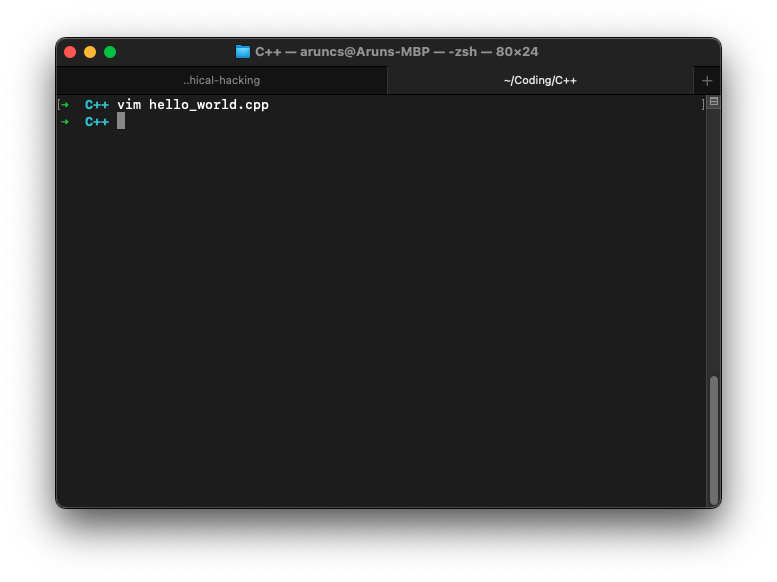
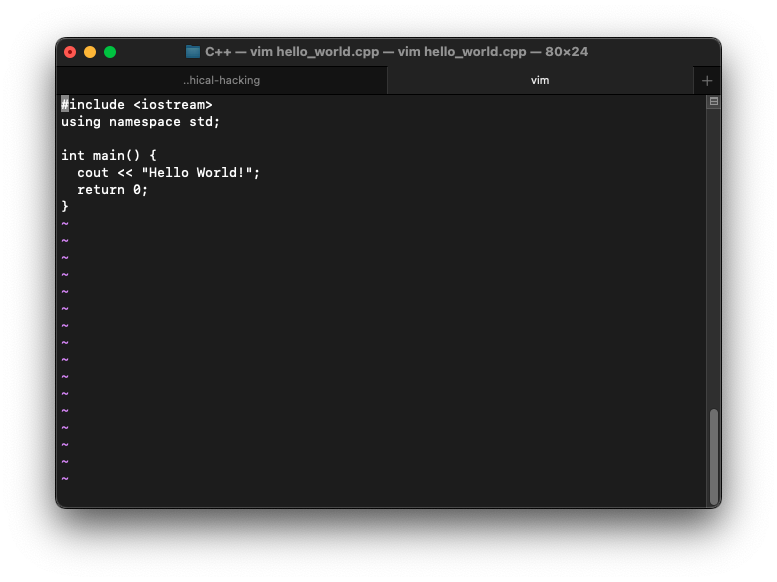
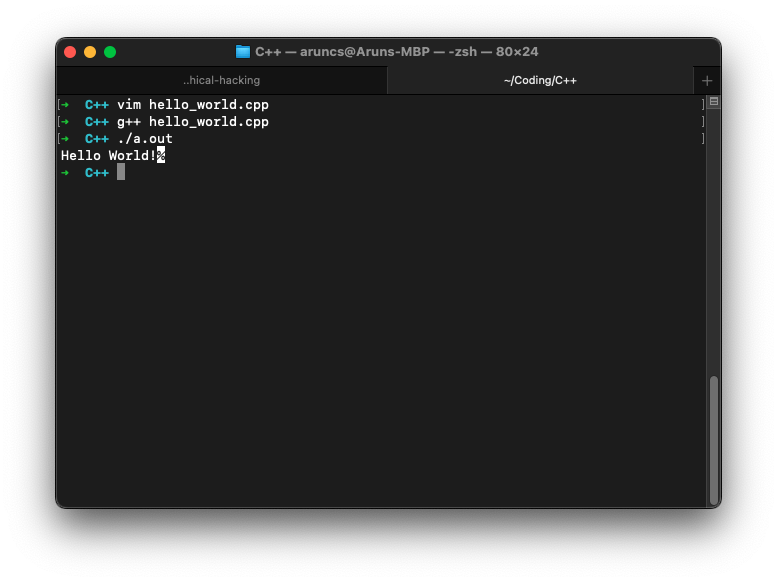
I have used Vim as the text editor , which is the default editor for linux and g++ for compiling
Printing
#include <iostream>
using namespace std;

int main() {
  cout << "Hello World!" << endl;
  return 0;
}
Escape characters
Complete list of escape characters can be found here
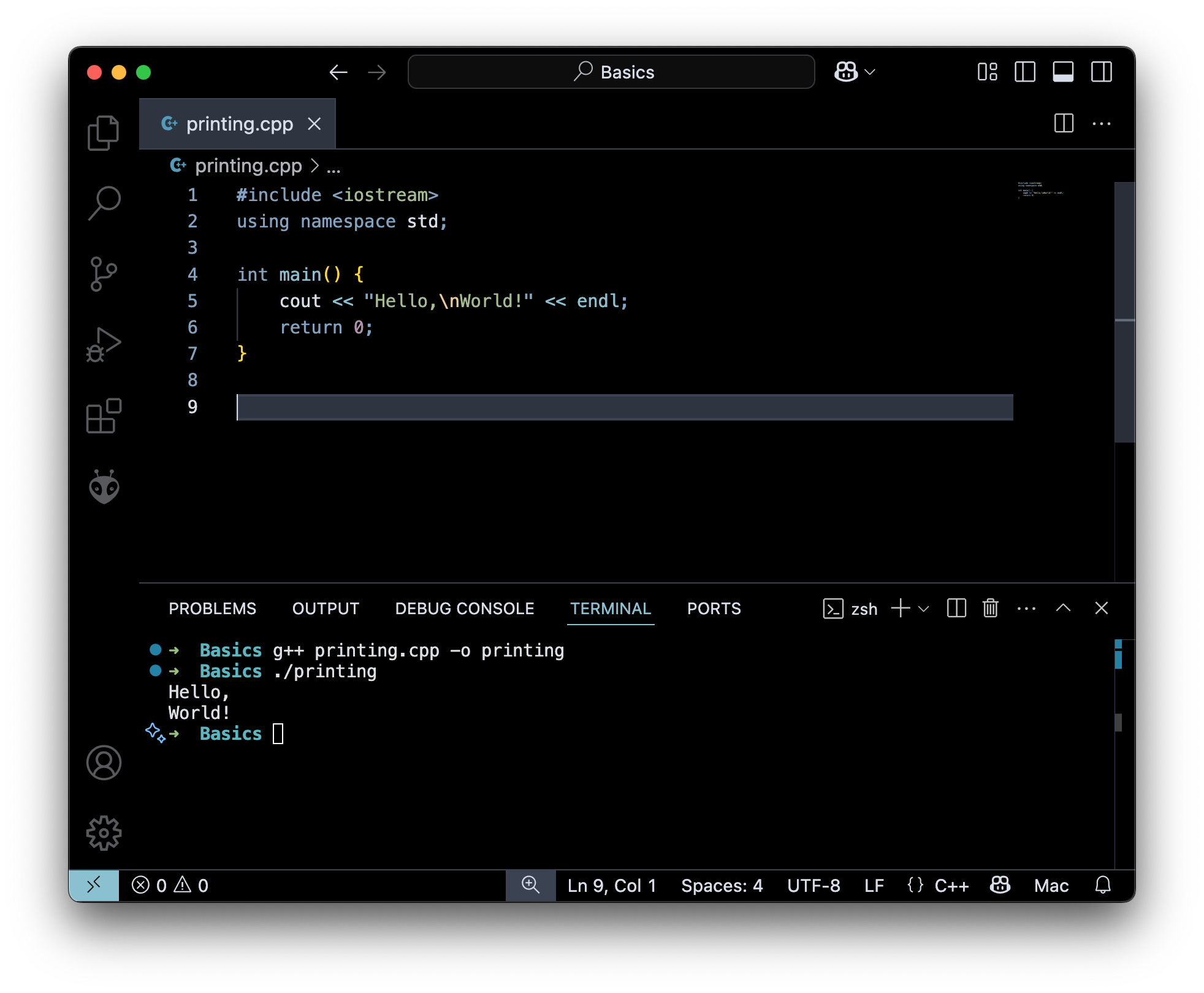
New Line
#include <iostream>
using namespace std;

int main() {
  cout << "Hello \n World!";
  return 0;
}
Hello
World!
Comments
// This is a comment in c++
/*
This is a multi-line comment in c++
*/
Variables
a variable is a named storage location in the computer's memory that holds a value.
#example
int a = 10;
double b = 10.10;
char letter = 'A';
const char* some_string = "Hello World";
std::string some_another_string = "Hello, world";
bool something = false;
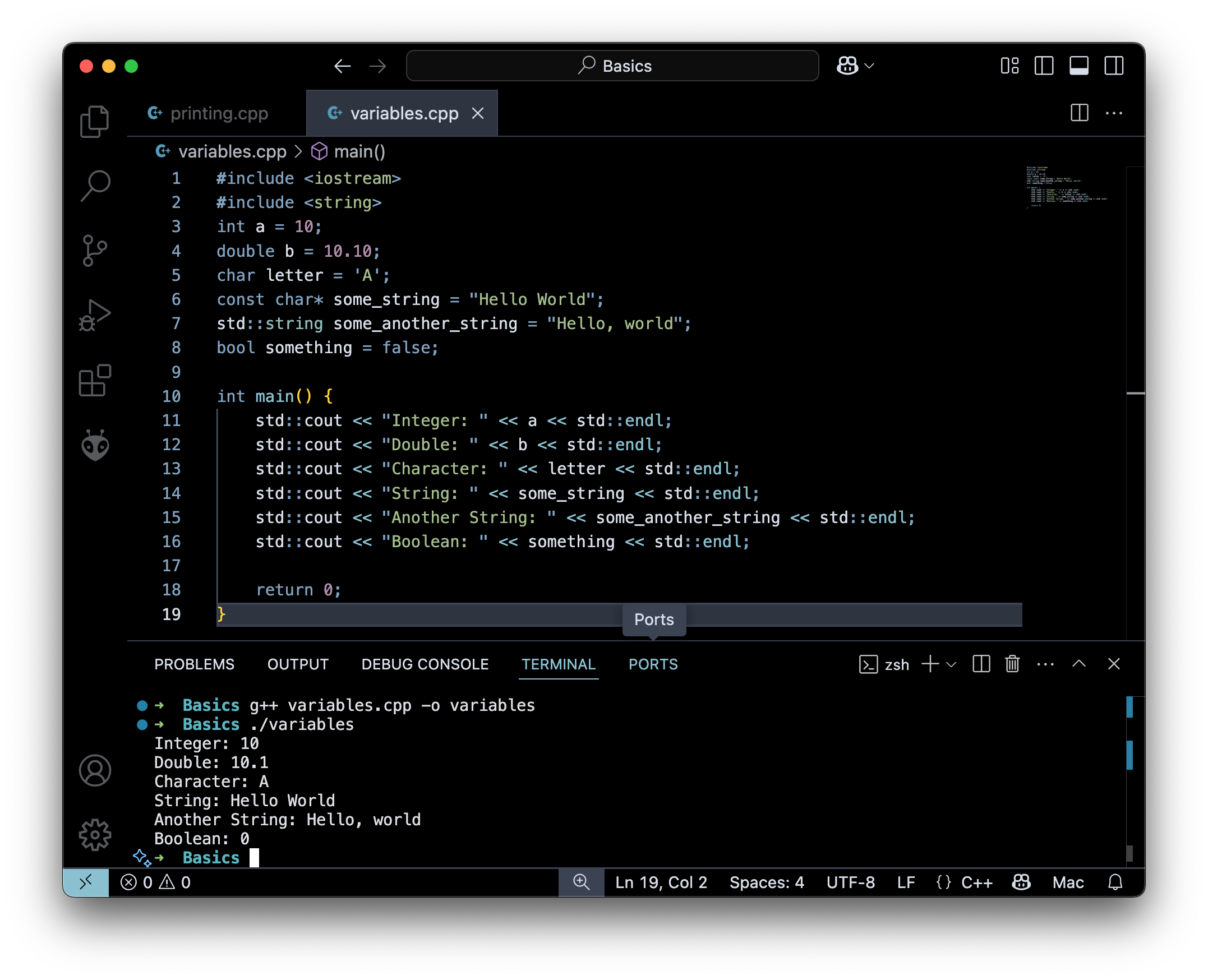
a variable in the sense that their value can be changed during the execution of the program.
int x = 10;
x = 20; // x is now 20
x = 30; // x is now 30
string
When using std::string the string lib should be included.
#include \<string>
// valid
int a =10 , b=20 , c 30 ;
// invalid
int a,b,c = 10,20,30 ;
// valid
int a = 10;
// valid
int a ;
a = 10 ;
Constants
also called literals eg: string literals
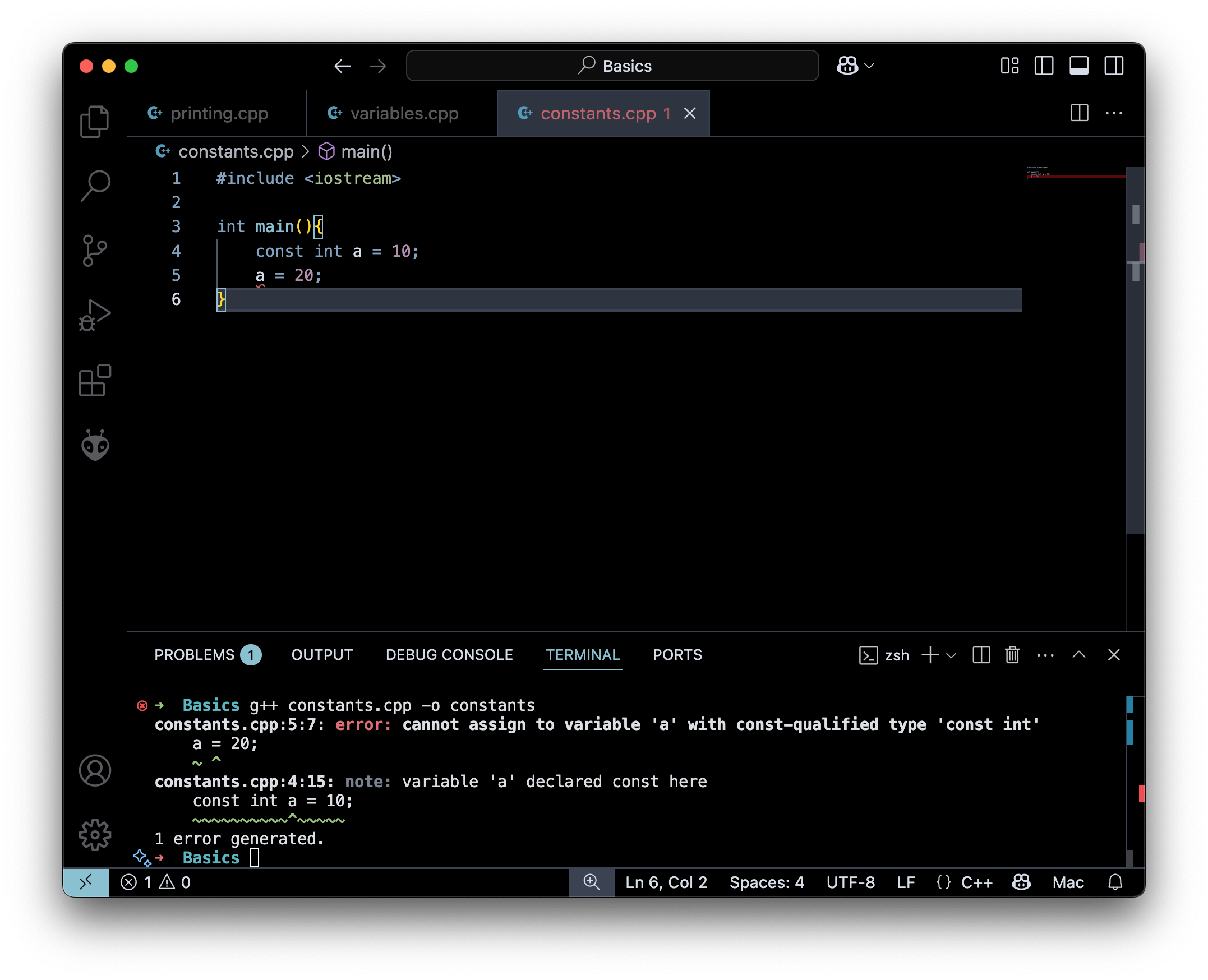
const int number = 10 ;
// Error
number = 20;
- the value of the constant can't be changed after the first assingment , and it is initialized the moment it is created.
Datatypes
- Builtin Data types(Primitive Datatypes)
- Derived Datatypes
- User Defined Datatypes
Primitive Data Types
// Integer types
int x = 500; // 4 bytes
short x = 100; // 2 bytes
long x = 1000000L ; // 4 bytes or 8 bytes
long long x = 10000000000LL; // 8 bytes
unsigned int x = 10;
// Floating Point
float x = 1.2 ; // 4 bytes
double x = 1.2312; // 8 bytes
long double = 1.23131233434343; // 16 bytes

// Charaters
char x = "X" ;
wchar_t x = L"😅";

// Boolean  (0 -> false , 1 -> true)
bool isComplete = true ;
bool isComplete = 1 ;
Size of Datatypes
#include <iostream>
using namespace std;
void print_size(int x){
    cout << x <<  " bytes ; " << x*8 << "bits" << endl;
}
int main(){
    cout << "Integers" << endl ;
    cout << "----------" << endl;
    print_size(sizeof(int)) ;
    print_size(sizeof(short)) ;
    print_size(sizeof(long));
    print_size(sizeof(long long)) ;
    cout << "----------" << endl;
    cout << "floating point" << endl ;
    cout << "----------" << endl;
    print_size(sizeof(float)) ;
    print_size(sizeof(double)) ;
    print_size(sizeof(long double)) ;
    cout << "----------" << endl;
    cout << "Character" << endl;
    cout << "----------" << endl;
    print_size(sizeof(char)) ;
    print_size(sizeof(wchar_t)) ;
}
Integers
----------
4 bytes ; 32bits
2 bytes ; 16bits
8 bytes ; 64bits
8 bytes ; 64bits
----------
floating point
----------
4 bytes ; 32bits
8 bytes ; 64bits
16 bytes ; 128bits
----------
Character
----------
1 bytes ; 8bits
4 bytes ; 32bits
- size of
boolis 1 bit
Derived Datatypes
- Arrays
- Pointers
- References
Arrays
 int a[] = {1, 2, 3};
int b[3] = {1, 2, 3};
char c[] = "abc";
char d[] = {'a', 'b', 'c'};
char e[3] = {'a', 'b', 'c'};
#include <iostream>
#include <array>
using namespace std;

template <typename T, size_t N>
void print_arr(const T (&arr)[N]) {
   for(size_t i = 0; i < N; i++) {
       cout << arr[i] << " ";
   }
   cout << endl;
}

int main() {
   int a[] = {1, 2, 3};
   int b[3] = {1, 2, 3};
   char c[] = "abc";
   char d[] = {'a', 'b', 'c'};
   char e[3] = {'a', 'b', 'c'};
   print_arr(a);
   print_arr(b);
   print_arr(c);
   print_arr(d);
   print_arr(e);
   return 0;
}
1 2 3
1 2 3
a b c
a b c
a b c
Pointers
A more notes of pointer can be found here
type* pointer_name;
#include <iostream>
using namespace std;

int main() {
    int x = 5;
    int* ptr = &x;
    cout << "Value of x: " << x << endl;
    cout << "Address of x: " << &x << endl;
    cout << "Value of ptr: " << ptr << endl;
    cout << "Value pointed to by ptr: " << *ptr << endl;
    return 0;
}
Value of x: 5
Address of x: 0x7ff7bf3ea2f8
Value of ptr: 0x7ff7bf3ea2f8
Value pointed to by ptr: 5
-
&xmeans address of x -
here the pointer
ptris pointing to the address ofx -
ptr = &xwe can read this as ptr is equal to the address of x
Operations
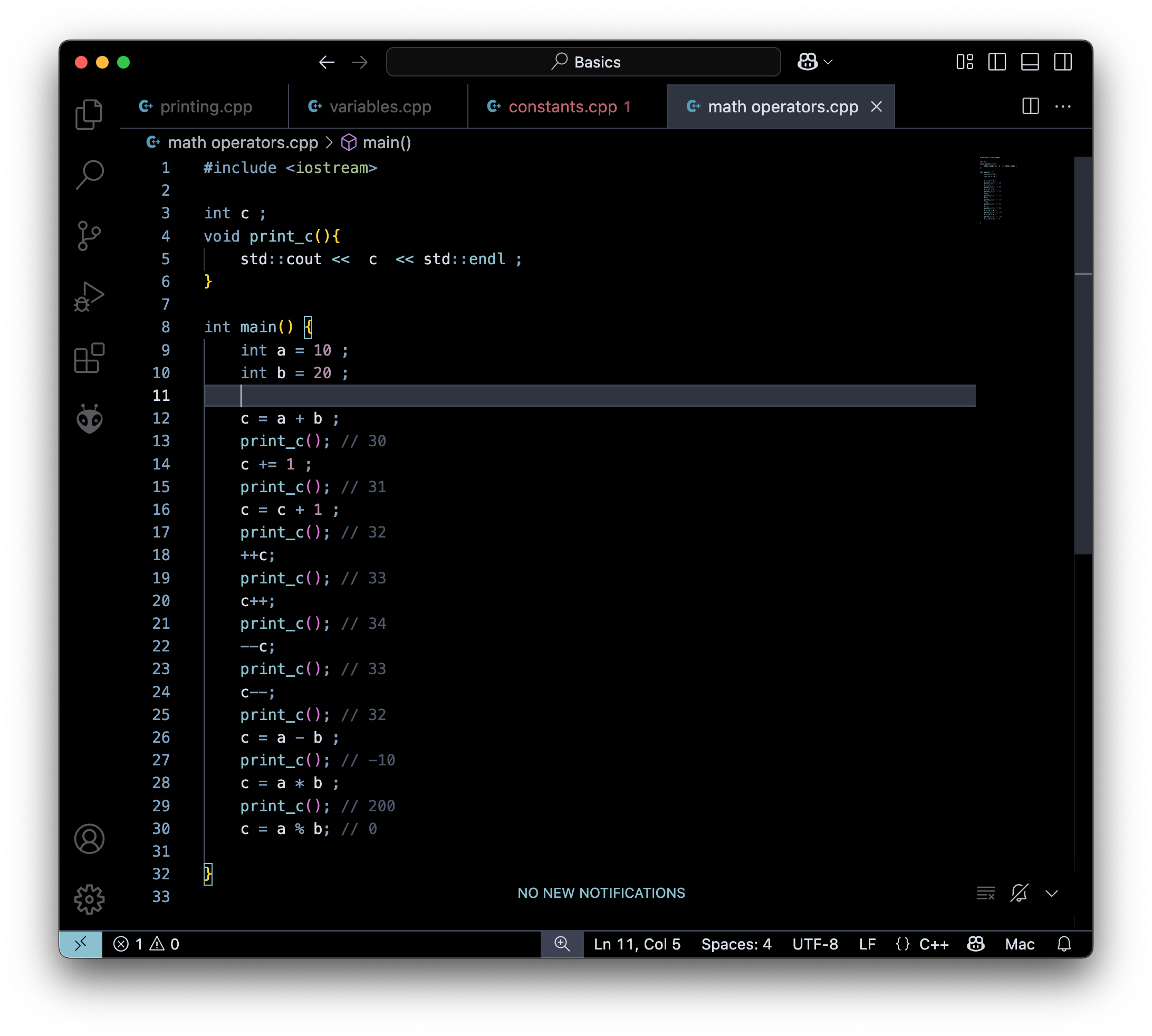
lets a=10 , b=5
// Addition
c = a + b ; // c = 15
// increment
c = c+1 ; // c = 16

++c; // c = c + 1 ; but beforez excecution c = 17
c++; // c = c + 1 ; but after excecution  c = 17
--c; // c = c - 1 ; but beforez excecution c = 16
c--; // c = c - 1 ; but after excecution c = 16
// substract
c = a - b ; // c = 5

// Multiplication
c = a * b; // c = 50
// Division
c = a/b; // c = 2

// Mod

c = a % b ; // c = 0
print_c
print_c() is a function which prints out the value of c and you will learn about functions in Intermediate section
| Operator | Operation |
|---|---|
| + | addition |
| - | substraction |
| / | division |
| ***** | multiplication |
| % | modulus operator |
Assignment operators
int a = 10 ; // Assigns the value 10 to variable a
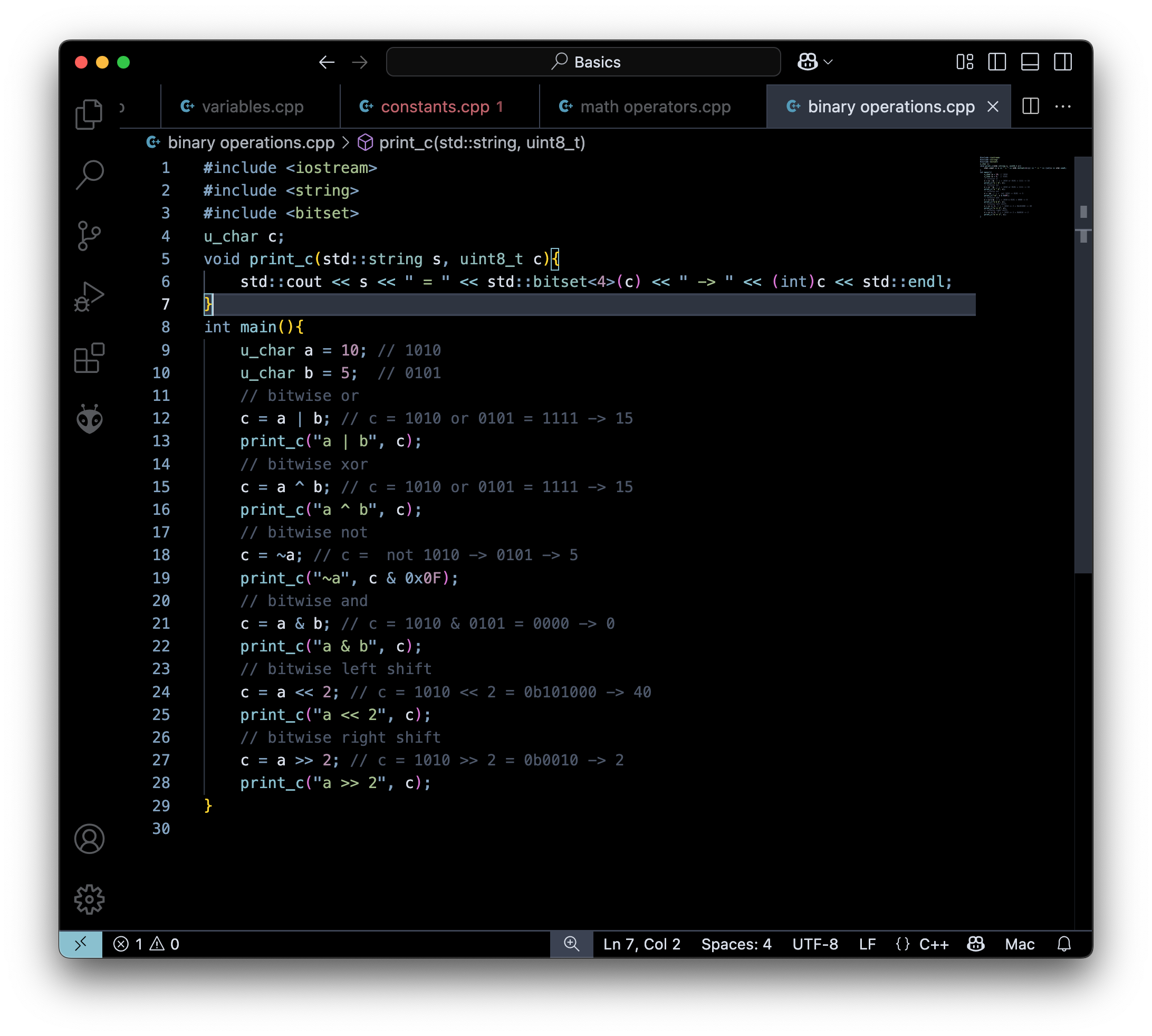
Bitwise Operations
int a = 10 ; // 1010
int b = 5 ; // 0111
// bitwise or
c = a | b ; // c = 1010 or 0111 = 1111 -> 15

// bitwise xor
c = a ^ b; // c = 1010 or 0111 = 1101 -> 13

// bitwise not
c = ~a; // c =  not 1010 -> 0101 -> 5

// bitwise and
c = a & b ; // c = 1010 & 0111 = 0010 -> 2

// bitwise left shift
c = a << 2; // c = 1010 << 2 = 0b101000 -> 40

// bitwise right shift
c = a >> 2 ; // c = 1010 >> 2 = 0b0010 -> 2
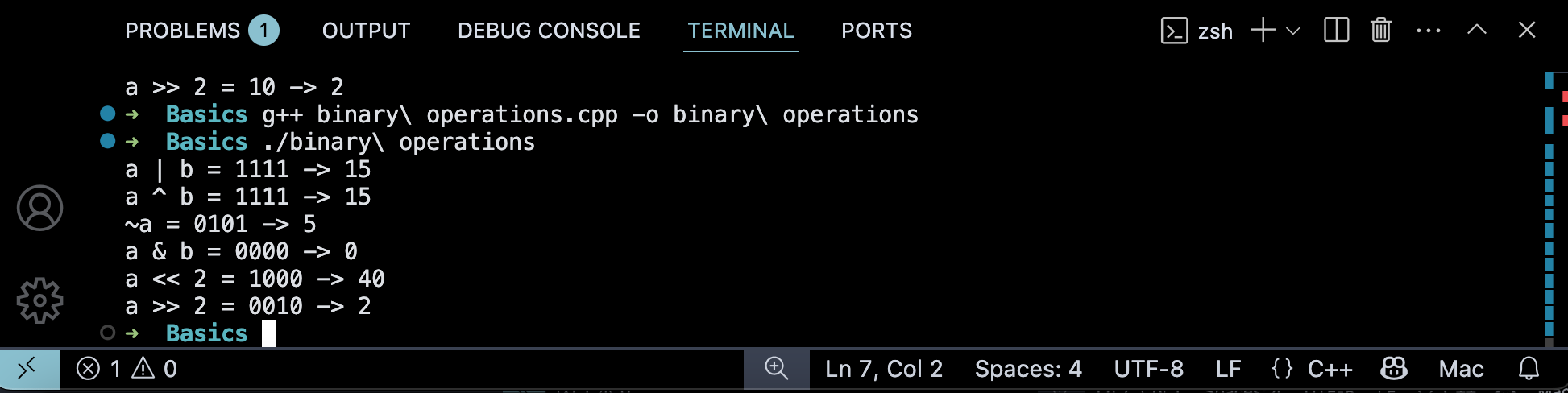
- Here the value of the
~awill not be 5 , instead it will have a value1111 0101but is is maked here to avoid confusion .
| Operator | Operation |
|---|---|
| | | or |
| ^ | xor |
| ~ | not |
| & | and |
| << | left shift |
| >> | right shift |
Relational operator
int a = 10 ;
int b = 20;

// Equal to ;
a == b; // false
a == 10 ; // true

// Not equal to
a != b; // true
a != 10; // false

// Greater than
a > b ; // false
// Greater than or equal to
a >= 10 ; // true

// Less than
a < b; // true
a <= 10; // true
comparison operators are normally used to check some conditions
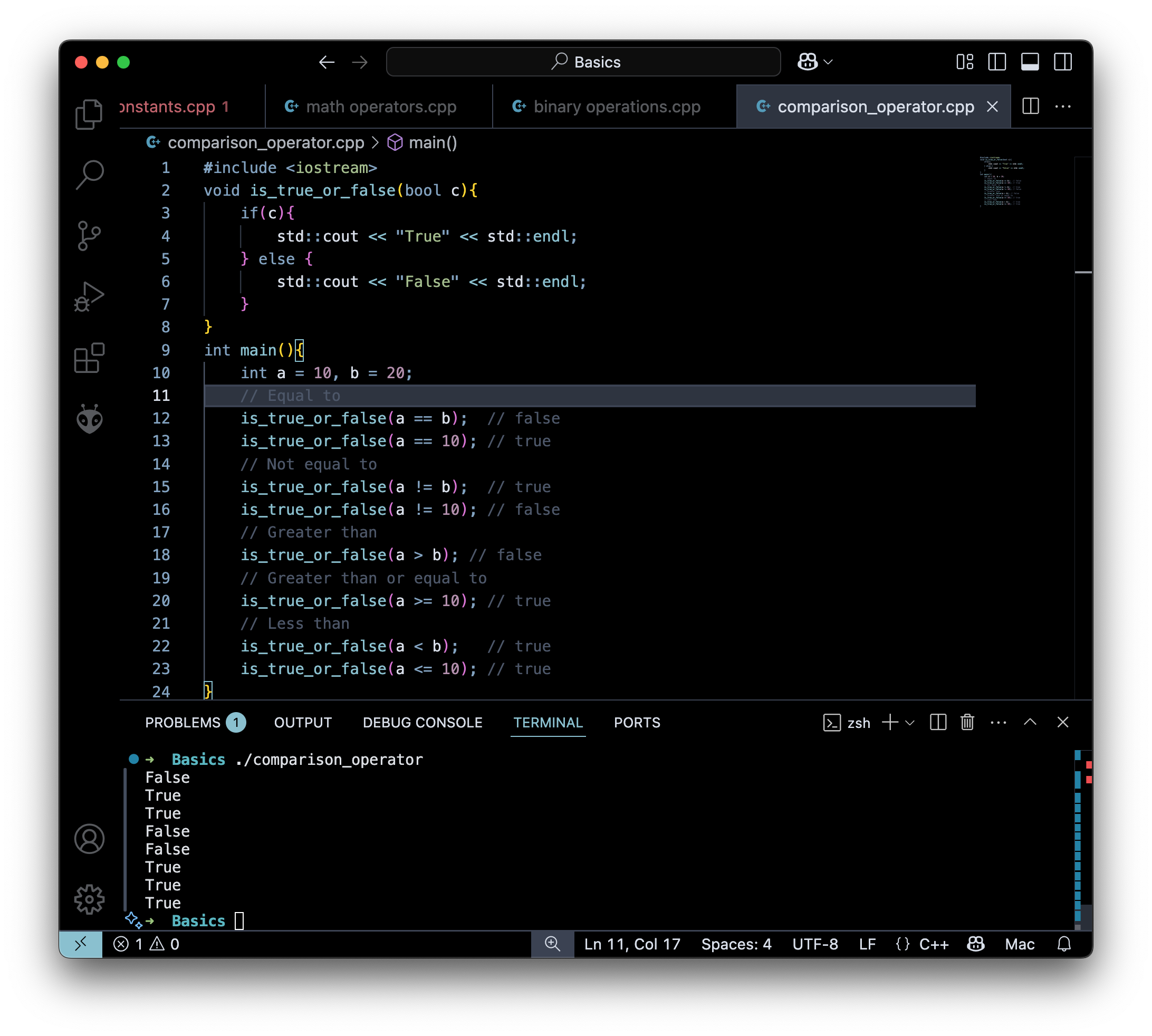
We can see that sometimes it runs the code inside if{code} and sometimes the code runs else{code} which is the primary use of comparison operator , that is run if else is used to
| Operator | Name |
|---|---|
| == | Equal to |
| != | Not equal |
| > | Greater than |
| < | Less than |
| >= | Greater than or equal to |
| <= | Less than or equal to |
Logical Operators
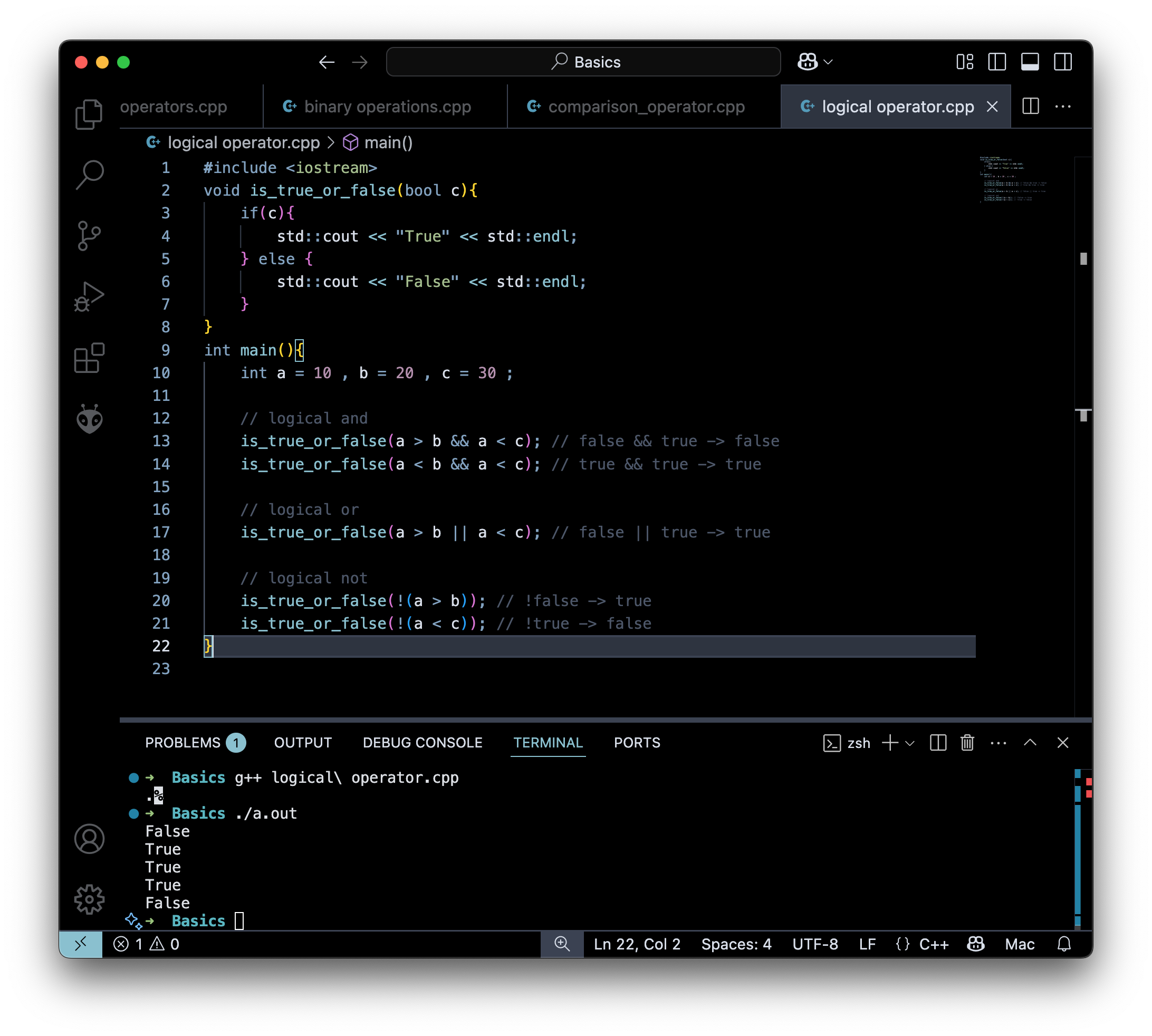
int a = 10 , b = 20 , c = 30 ;

// logical and
a > b && a < c ; // false && true -> false
a < b && a < c ; // true && true -> true

// logical or
a > b || a < c ; // false | true -> true

// logical not

!(a > b) ; // !false -> true
!(a < b) ; // !true -> false
| Operator | Name |
|---|---|
| && | Logical and |
| || | Logical or |
| ! | Logical not |
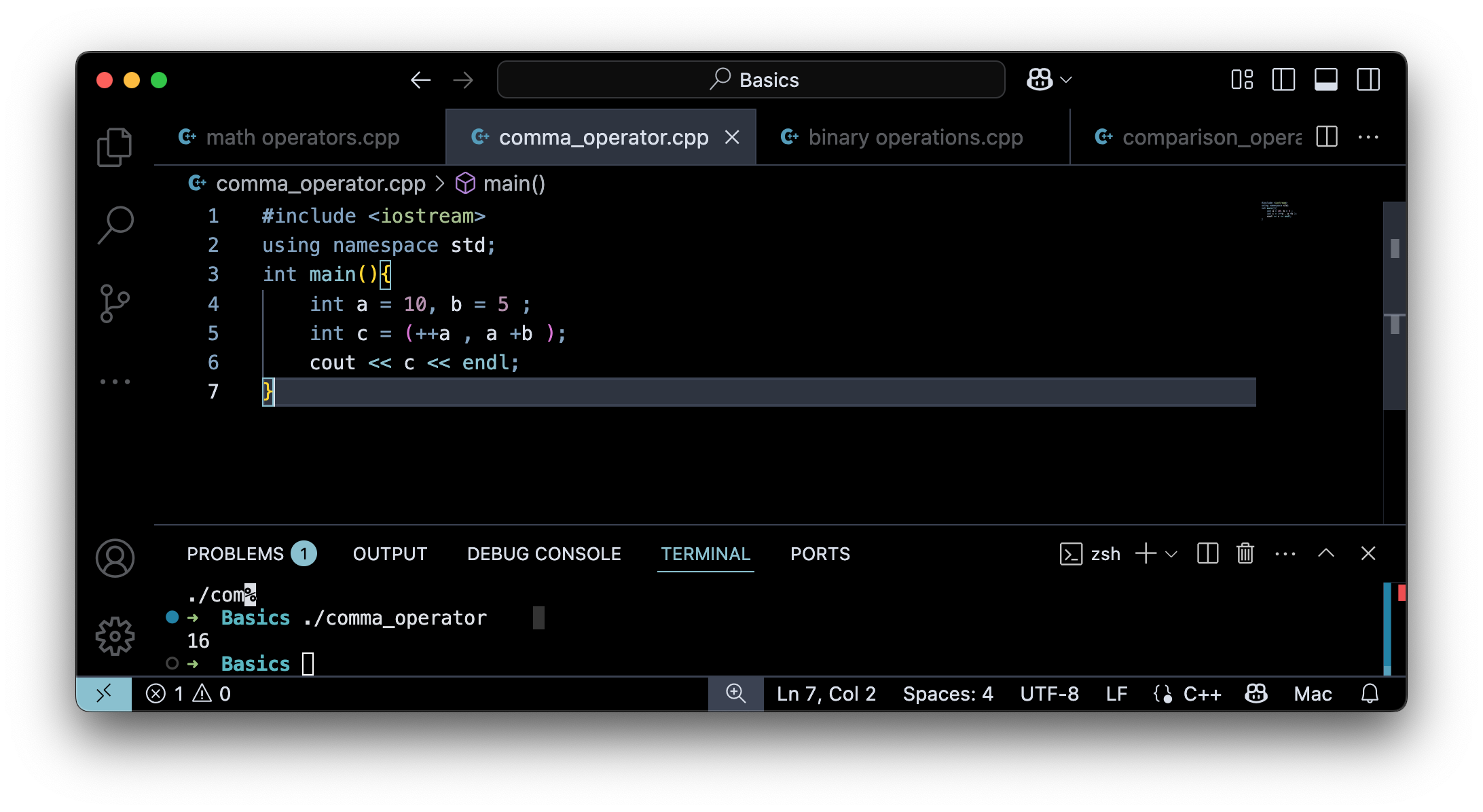
Comma Operator
You have reached the end of the c++/basics now go to C++/Intermediate
Storage Classes
- Automatic Storage Class (
auto) - Static Storage Class (
static) - Register Storage Class (
register) - External Storage Class (
extern) - Thread Storage Class (
thread_local)
Automatic Storage Class (auto)
#include <iostream>
int main() {
    auto a = 10;
    std::cout << a;
}
this is same as
#include <iostream>
int main() {
    int a = 10;
    std::cout << a;
}
Static Storage Class (static)
#include <iostream>
int main() {
		static int a = 10;
		std::cout << a;
}
- value of a
staticvariable will remaind during the entire program excecution, even if it goes out of scope.
or The static storage class instructs the compiler to keep a local variable in existence during the life-time of the program Source
why:
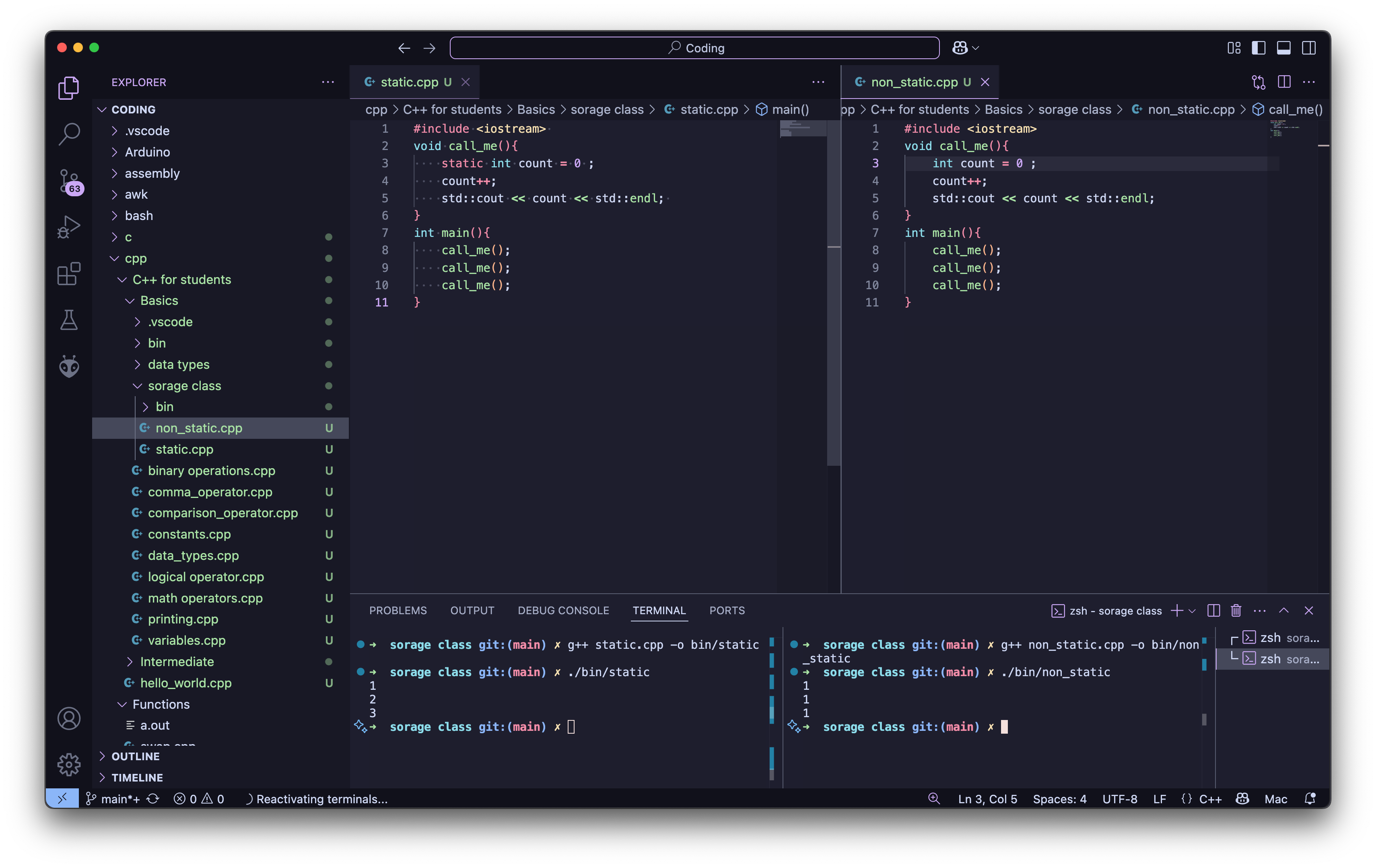
consider this program
#include <iostream>
void call_me(){
    static int count = 0 ;
    count++;
    std::cout << count << std::endl;
}
int main(){
    call_me();
    call_me();
    call_me();
}
Why do you think the output will be ? some thing like this
1
1
1
if you execute this program
#include <iostream>
void call_me(){
    static int count = 0 ;
    count++;
    std::cout << count << std::endl;
}
int main(){
    call_me();
    call_me();
    call_me();
}
its output will be
1
1
1
but for the first program the output will be
1
2
3
Register Storage Class (register)

as the release of c++17 this is deprecated , but it is still used in c programming language.
#include <iostream>

int main() {
    register int a = 10;
    std::cout << a;
}